.webp)
Most coverage of Salesforge leads with AI personalisation and multichannel sequencing. Both are real. Neither is usually the thing that makes the difference.
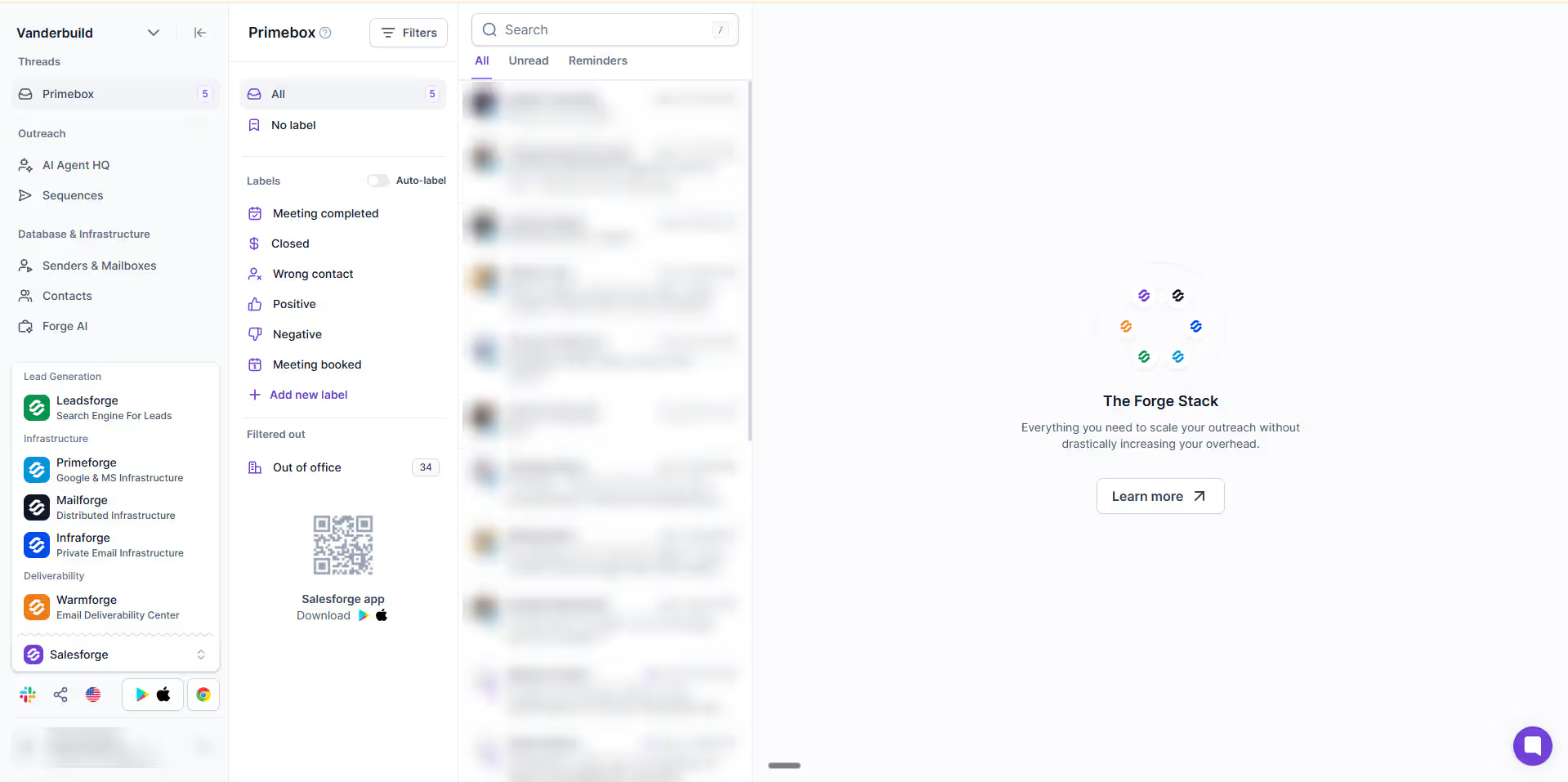
The thing that makes the difference is inbox management. Anyone running outbound on behalf of someone else - an agency for a client, a growth team for a sales team - has to build the same plumbing every time: forwarding rules, inbox access, message transfer between workspaces. It is unglamorous, it takes hours, and it breaks in ways nobody notices until a reply sits unread for four days.
Salesforge removes that layer. Whether that is worth switching for depends entirely on whether you have that problem.
This article covers what the tool does, what it costs when you actually run campaigns on it, where the credit model bites, and who should skip it. For the structured spec - MCP server, API, agentic readiness tier, and how it compares to lemlist and SendPulse - see our Salesforge entry in the Sales Tools Database.
In this article, you'll find answers to questions:
- What is Salesforge and how does it work?
- What is the Forge Stack, and which parts do you actually need?
- How does the credit model work, and what does a real campaign cost?
- Why are unlimited LinkedIn senders a bigger deal than they sound?
- What does Salesforge replace, and what does it not?
- What should you actually test before committing to a plan?
- Where does the credit model bite, and who should skip this tool?
- FAQ: pricing, Agent Frank, Clay integration, and more.
What is Salesforge?
Salesforge is a multichannel sequencer. You load contacts, build a sequence that mixes email and LinkedIn steps, and it sends. Founded in 2023 in Tallinn by Frank Sondors, it has grown to 51-100 people and holds a 4.6 average across 258 G2 reviews.
Two things separate it from the rest of the category.
Unlimited mailboxes and unlimited LinkedIn senders. You are not billed per inbox or per seat. You are billed per action taken inside a sequence.
Centralised reply handling. Primebox pulls email and LinkedIn replies into one view, which is the feature that made us move.
What it does not do is find or enrich your data. That happens upstream, typically in a tool like Clay, with finished lists pushed into the sequencer. Salesforge is the sending layer, not the data layer.
The Forge Stack, untangled
The most common complaint about Salesforge is that nobody understands what they are buying. There are eight products under one brand and the naming does not help.
Here is what each one is for, and whether you need it.
Seven products, one brand
 Salesforge
 Warmforge
 Mailforge
 Infraforge
 Primeforge
 Leadsforge
 Agent Frank
How the credit model actually works
Most reviews stop at "credit-based" and move on. The mechanics matter, because they decide what the tool costs by a factor of three depending on how you build sequences, and because the number on the pricing page is almost never the number that limits you.
You pay one credit per action. An email send is an action. A LinkedIn connection request is an action. A profile view is an action.
Conditions are free. If your sequence checks whether a profile is open before deciding what to do next, that check costs nothing. Only the resulting action bills.
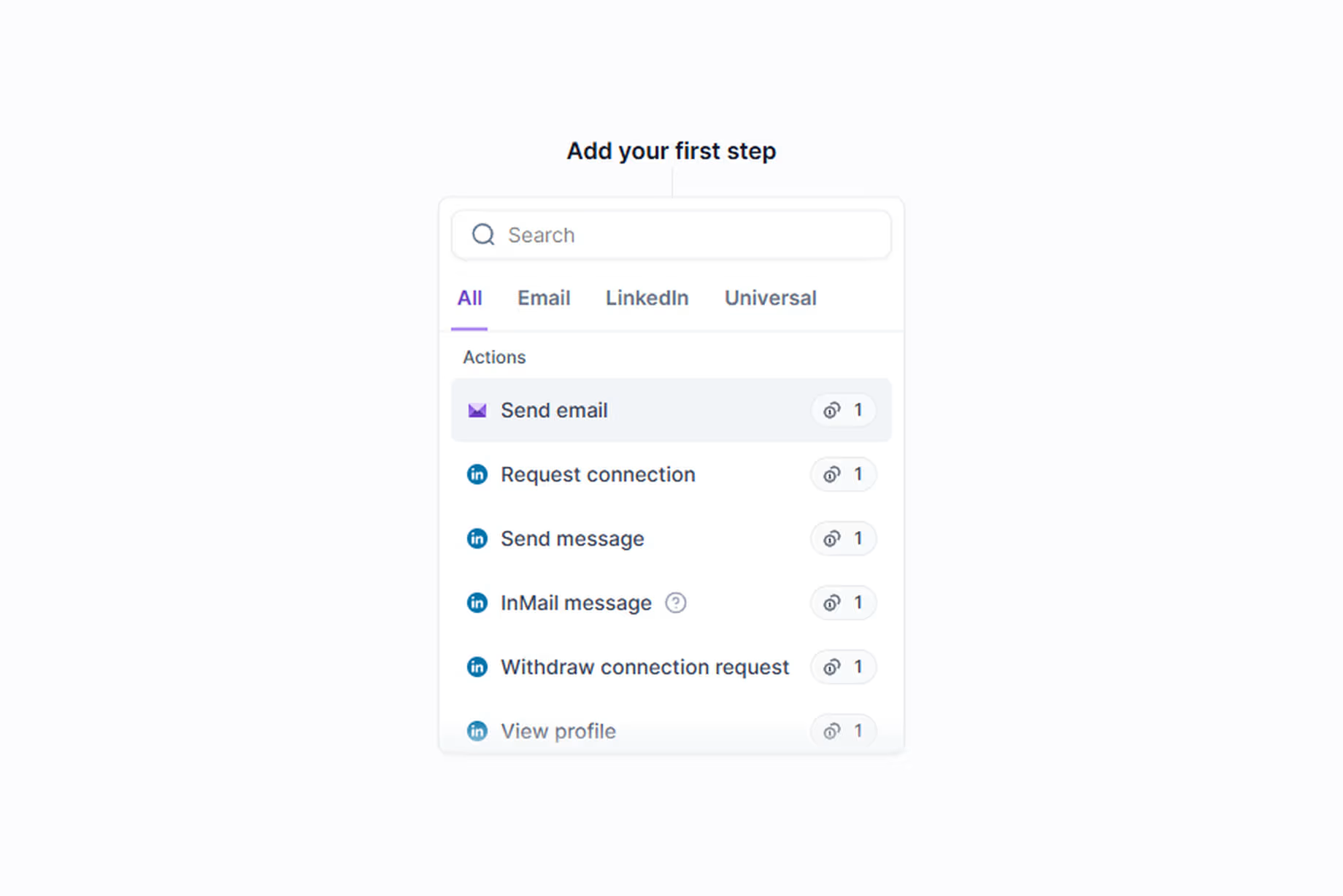
Notice that the price is flat. A LinkedIn connection request costs the same as an email send, and so does a profile view. There is no cheap step and no expensive step, which means the only lever you have over cost is how many steps actually fire.
This changes how you should build. A sequence that branches on conditions before acting costs meaningfully less than one that fires every step at every contact. Most teams do not discover this until month two.
There are five meters, not one
The billing screen splits your allowance into separate pools, and they do not deplete at anything like the same rate.
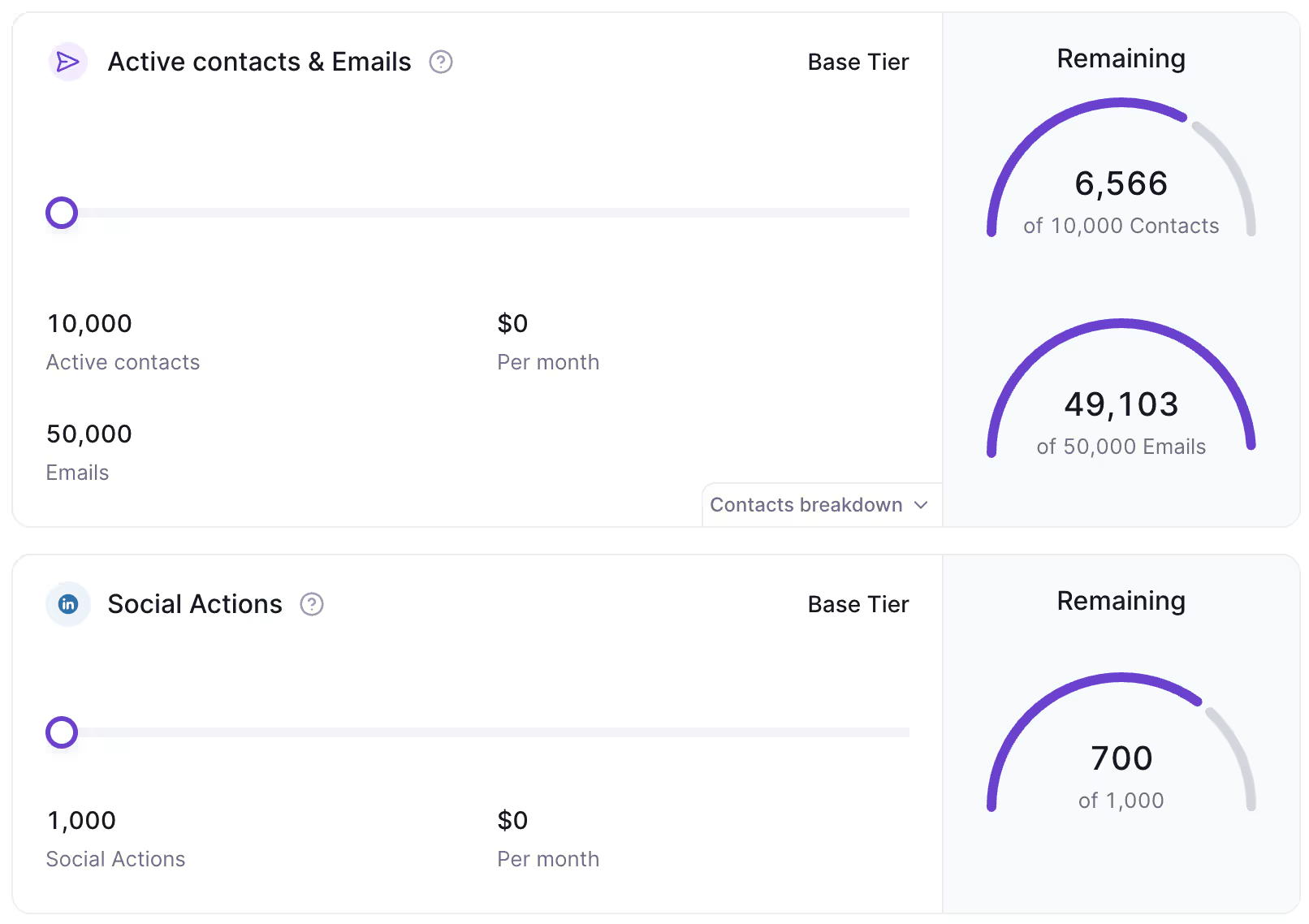
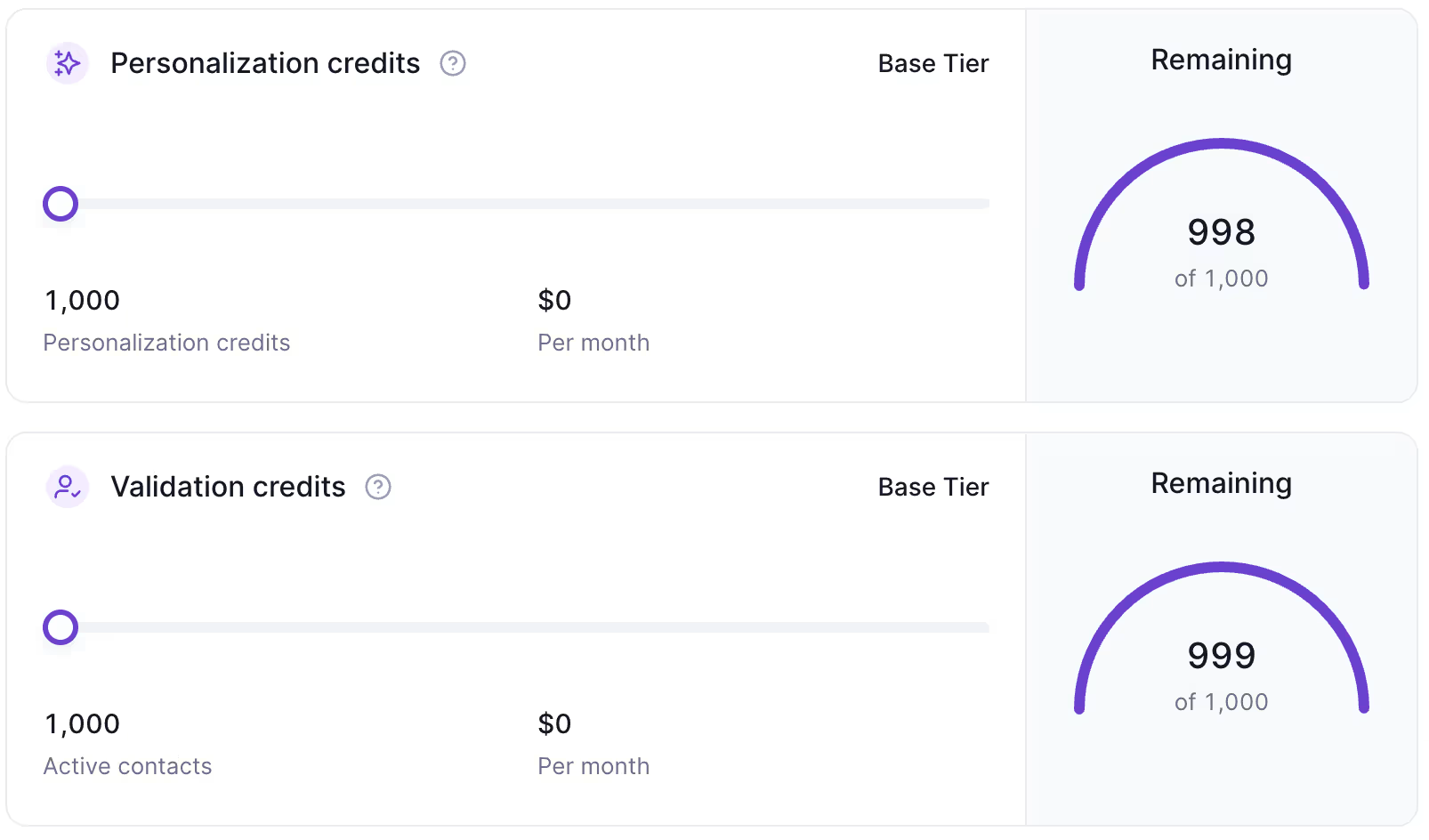
The pool that runs out first is not the one you shopped for
This is the part worth internalising before you pick a plan.
Contacts are consumed when you load them into a sequence, not when you email them. That decoupling is what catches people out. On a typical mid-tier allowance of 10,000 contacts and 50,000 emails, roughly a third of the contact allowance can be gone while under 2% of the email allowance has been touched.
Put differently: at that ratio, the contact ceiling arrives after a few thousand more sends, with tens of thousands of email credits still sitting unused. The 50,000 emails on the pricing page is not the constraint. The 10,000 contacts is.
The same applies to LinkedIn. Social actions burn at a rate closer to contacts than to emails, because every connection request, message and profile visit bills. If LinkedIn is a real part of your motion, that meter and the contact meter are the two you should model, and the email number can be ignored entirely.
Two pools you are probably paying for and not using
Personalisation and validation credits behave completely differently. If your copy is generated upstream - in Clay or any enrichment layer - you import finished variants and the platform's own personalisation credits go untouched. The same happens to validation credits if you verify emails with a dedicated provider before import.
In practice both can sit at over 99% unused across a full billing period. They are included rather than optional, so this is not wasted money exactly, but it does mean the headline feature list overstates what you are actually buying.
What to do with this: count the contacts you expect to load per month and the LinkedIn actions per sequence. Those two numbers pick your plan. The email figure is marketing.
Why unlimited LinkedIn senders matter more than they sound
This is the number that changes the maths, and it is easy to miss on the pricing page.
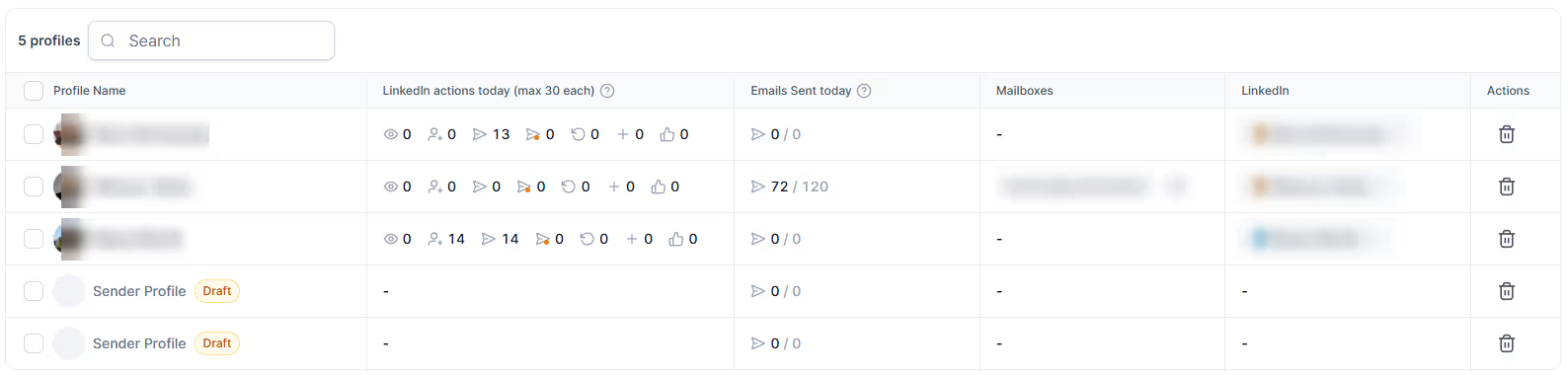
Most LinkedIn automation tools price per connected LinkedIn account. HeyReach, for example, charges around $79 per LinkedIn sender per month. Run five client accounts and that line alone is $395 before you have sent anything.
Salesforge puts LinkedIn senders on the same credit pool as everything else. Connect as many as you want; you pay for actions taken, not seats held.
For an agency running multiple clients, this is the single strongest argument for the platform. For a single company running one or two LinkedIn accounts, it is close to irrelevant and you should ignore it.
Deliverability defaults worth noticing
Most sequencers push open tracking because it makes dashboards look busy. Tracking pixels hurt inbox placement, and every vendor knows it.
The settings panel showing Track opens and Track link clicks with the "Not recommended" labels visible.
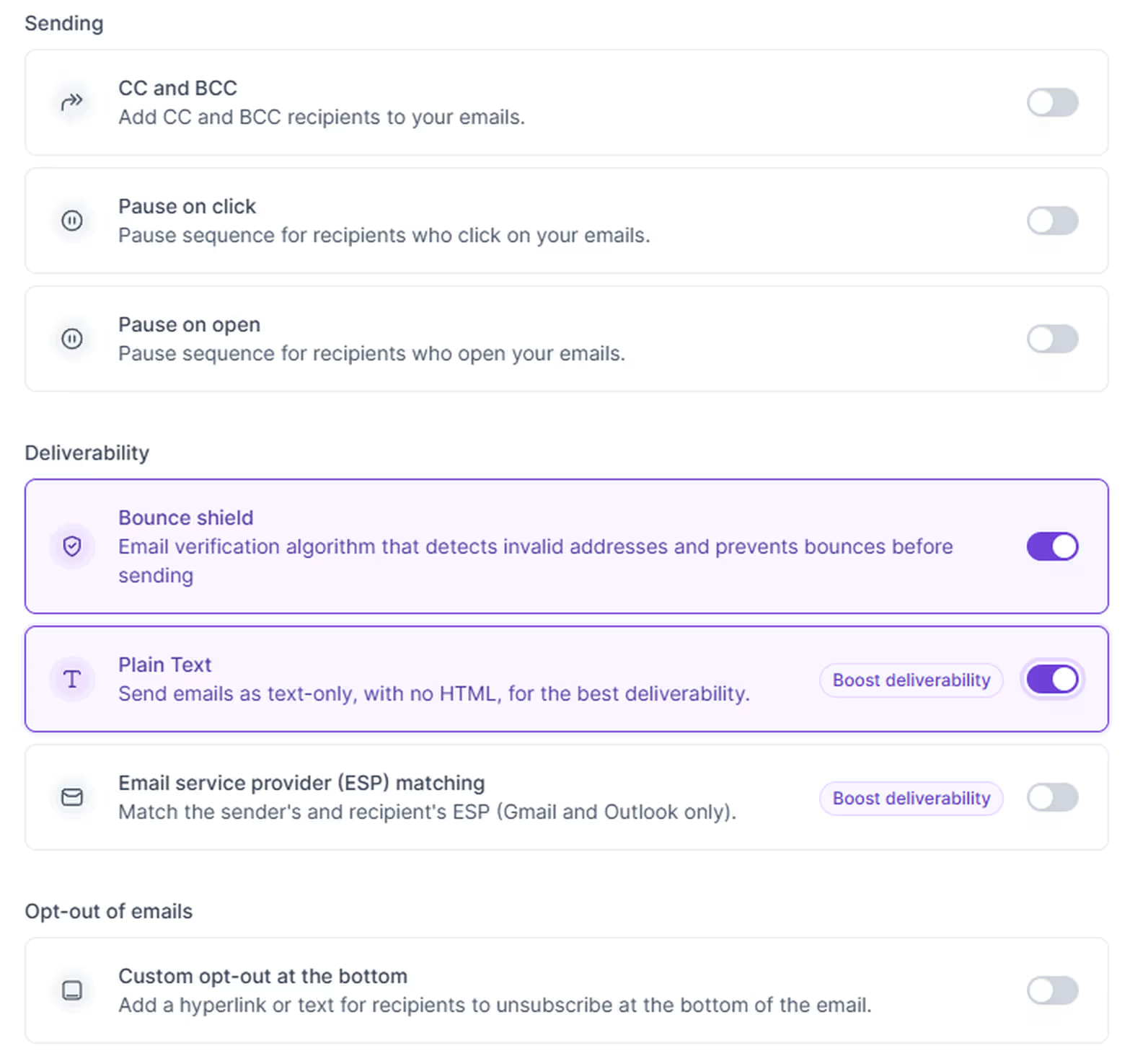
Salesforge labels both open tracking and link click tracking "Not recommended" inside the product. A tool arguing against its own vanity metrics is rare enough to be worth pointing at.
Alongside that:
- Bounce Shield on by default
- Plain text mode as a single toggle
- ESP Matching on Growth, routing Gmail senders to Gmail recipients
- Account-level reply suppression - if you are contacting five people at one company and one replies, sending stops for the other four
That last one is the kind of logic that Reply.io and Outreach get right and most cheaper tools miss entirely. If you have ever had a prospect reply and then receive three more automated emails from you, you know why it matters.
For the wider picture on what actually decides inbox placement, see our guide to email deliverability.
How much Salesforge costs
A worked example. Take a team running two LinkedIn accounts alongside email at modest volume, currently paying for a sequencer, a separate LinkedIn tool at per-seat pricing, and a warmup subscription. That stack commonly lands between $300 and $400 a month. Consolidated onto Growth with email volume top-ups, the same work sits closer to $200.
The saving is real but it is not universal. It comes from removing per-seat LinkedIn pricing and a separate inbox-management setup. If you do not carry those costs today, the gap disappears and the comparison is much closer.
Not sure which tier fits your volume? Book a consultation to map it against what you are actually sending.
What Salesforge replaces, and what it does not
Replaces:
- Your existing sequencer
- Your LinkedIn automation tool, if you were paying per sender
- Your warmup subscription
- Your inbox-management and reply-forwarding setup
- Optionally, your infrastructure provider, via Mailforge, Infraforge or Primeforge
Does not replace:
- Clay or your enrichment layer. Salesforge sends. It does not build or enrich lists. Serious personalisation means generating fields per lead rather than picking from a template, and that work happens upstream. No sequencer does it for you.
- Your CRM. There are native Salesforce and HubSpot syncs, but sync is not ownership.
- Judgement about who to contact. No tool solves that. The criteria for whether outbound works at all sit upstream of any software decision.
What to test before you commit
The trial will not answer the question you actually have. Twenty-five emails and ten contacts is enough to judge the interface and nothing else. Deliverability, credit burn and reply routing only reveal themselves at volume, which means the real evaluation is a paid first month.
Four things are worth deliberately testing in that month, in this order.
1. Model your credit burn before you build anything. Count the billable actions in one sequence, multiply by your monthly contact volume, and compare against the plan allowance. Do this on paper. Teams routinely pick a tier on headline price and discover the ceiling in week three.
2. Build one sequence with conditions and one without. Run them side by side on comparable segments. The difference in credit consumption is the number that decides whether the platform is cheap or expensive for you, and it is entirely a function of how you build.
3. Check warmup status before the first send. Newly connected mailboxes carry a countdown. Launching into a mailbox that is still warming undoes the point of the exercise.
4. Test reply routing with a live batch of ten to twenty contacts. Confirm that replies land where they should and that suppression fires correctly when someone responds. This is the feature most likely to justify the switch, so verify it before you migrate anything at scale.
What none of this tells you is whether the messages are any good. That question sits upstream of every tool, and no sequencer answers it.
Main advantages and 5 things to watch out for
The biggest advantages
- No per-seat or per-mailbox pricing - the economics improve as you add senders rather than degrade
- Unified reply handling across email and LinkedIn, which removes a whole category of setup work
- Honest deliverability defaults, including a product that argues against its own tracking
- Conditions are free, so well-built sequences cost less than badly built ones
- Native MCP server, meaning it can sit inside an agent stack rather than only being clicked in a UI - covered in the tool database entry
5 things to watch out for
- The product stack is genuinely confusing. Work out which two or three products you need before you talk to sales, or you will be quoted for all eight.
- Credit caps at entry tiers bite at volume. Validation and personalisation credits run out faster than the entry price suggests. Model your actual monthly action count before choosing a plan.
- Build conditions into sequences from day one. Retro-fitting them after you have burned a month of credits is annoying and avoidable.
- The trial is very limited - 25 emails, 10 contacts, 10 validations. Enough to evaluate the interface, not enough to evaluate deliverability. Plan a paid first month as the real test.
- Setup is not beginner-friendly. Reviewers consistently flag this and they are right. If you want to sign up and send within ten minutes, this is the wrong tool.
FAQ
How does Salesforge compare to email-only sequencers?
Different shapes rather than better and worse. Email-first platforms tend to have larger warmup networks and the simplest setup in the category. Salesforge is multichannel with unlimited LinkedIn senders and unified reply handling. If you only send email and never touch LinkedIn, an email-first tool's simplicity is a genuine advantage and the extra surface area here is cost without benefit. If you run LinkedIn alongside email, or you manage several separate accounts, the per-seat maths moves in Salesforge's favour.
Do I need Agent Frank?
Probably not at first. Agent Frank is an autonomous AI SDR and it is priced as a separate product at a level that only makes sense once your sequences are proven. Buy the sequencer, get your messaging working, then decide whether you want an agent running it. An AI SDR pointed at an unvalidated message just fails faster.
Can I use Salesforge with Clay?
Yes, and it is a common setup. Clay handles sourcing, enrichment and AI personalisation; finished copy imports into Salesforge as a message variant. Structured this way the platform's own personalisation credits go unused, which is fine since they are included regardless.
What is the difference between Mailforge, Infraforge and Primeforge?
Mailforge is shared cold email infrastructure with automated DNS setup. Infraforge is private infrastructure with dedicated resources, for higher volume or where you cannot accept shared reputation. Primeforge provisions real Google Workspace or Microsoft mailboxes. Most teams need exactly one of the three.
Does Salesforge have an MCP server?
Yes. It exposes a Model Context Protocol server that lets an AI assistant read live account data and take actions across the Forge stack. Details and links in our tool database entry.
Do I have to move my infrastructure to use it?
No. Mailboxes connect regardless of where the underlying domains and hosting sit, so you can keep infrastructure with an existing provider while the mailboxes operate inside Salesforge.