You can have the best list and the best copy on the market. The moment your message lands in spam, the campaign stops being a campaign and becomes a cost.
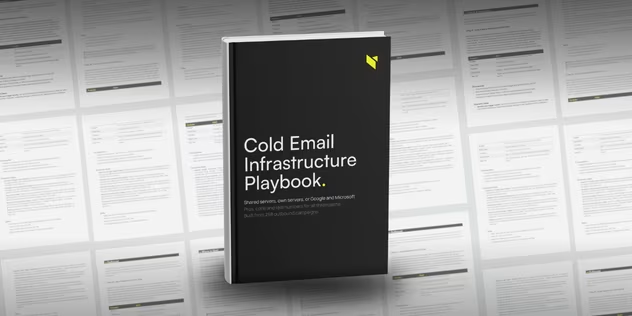
Most cold email advice starts with the sequence. This playbook starts one layer below it: the domains, mailboxes and DNS records that decide whether the sequence is ever read. If you want the layer above, our guide to writing a B2B cold email covers the copy that runs on top of this stack.
Every link in an outbound campaign can be repaired while it runs. Copy, segmentation, offer, sequence - all of it is editable on Tuesday afternoon.
Infrastructure is the exception. Burned infrastructure does not get repaired. A destroyed sending reputation cannot be rebuilt - the domain gets replaced. New domains, new warm-up, two weeks with no sending. We have run that rebuild for a client after Google blacklisted their entire sending domain - the teardown is in our email deliverability guide.
The playbook is the version of that setup we would hand a new client on day one.
What is inside: the full cold email setup, start to finish
Thirteen pages. No theory sections, no history of email.
- Three setup paths, compared side by side. Shared servers, your own servers, and real Google and Microsoft mailboxes. Cost, control, risk and the case for each.
- The full cost model. What ten mailboxes cost in month one and every month after, scaled out to thirty.
- SPF, DKIM and DMARC. Each record explained by what breaks without it, plus the two tools we verify with before every launch.
- Domain architecture. How many mailboxes belong on one domain, why the number most agencies use is wrong, and how to structure sending domains so one burn does not take the rest.
- The warm-up schedule. Daily volumes for the first fourteen days, the campaign ceiling per mailbox, and the one warm-up condition almost nobody checks.
- A twelve-step rollout checklist. Day 0 to day 15, with the tool and the control point for every step.
- Four control thresholds. The numbers that tell you a domain is about to burn, and what to do at each one.
- The tool stack. Ten tools mapped to the part of the infrastructure they own.
A preview: how cold email infrastructure gets built
Page 5 - three ways to build cold email infrastructure
Shared servers are the cheapest way in and the highest deliverability risk. You can do everything right and still pay for a stranger's mistakes: you are not buying a server, you are buying the reputation of people you will never meet.
Your own servers give you full control and one structural problem - you are not Google and you are not Microsoft. Around 76% of business domains run on those two, so building outside them means sending from infrastructure the recipient's filters have no reason to trust.
The third path is where your recipients actually sit. It costs the most per mailbox and it is the one we run. The playbook shows both ways to walk it, DIY and vendor, with the numbers behind each.
Page 8 - what a cold email setup costs
Ten sending mailboxes, built the way we build them, come to 109 USD in the first month and 45 USD a month after that. The playbook shows how that number is composed and scales it to thirty mailboxes and roughly 19,800 emails a month.
Infrastructure is the cheapest line in an outbound budget. It is also the only one that can invalidate all the others.
Page 12 - the deliverability rollout, day 0 to day 15
Day 0 is choosing the path. Day 1 is domains and redirects. Day 2 the mailboxes look like real accounts and warm-up is running. Day 15 is the first campaign email.
Twelve steps, each with a control point you can check before moving on. This is the sheet our team works from.
One rule about your sending domains
Who this is for: teams whose cold email deliverability is slipping
- You are setting up outbound sending for the first time and do not want to learn deliverability by burning a domain
- Your reply rate collapsed and you suspect the infrastructure, not the copy
- You are briefing an agency or a freelancer and want to know what a correct setup looks like
- You run campaigns already and want a second opinion on volumes, warm-up and domain architecture
If deliverability sits below 85%, fix infrastructure before anything else - the benchmark set is in our cold outreach guide.
Build it yourself, or hire a cold email agency?
The playbook is written so you can run this alone. Plenty of teams should.
It stops making sense when infrastructure becomes a standing job rather than a setup task: domains to replace, warm-up to monitor, thresholds to watch weekly, and a rebuild procedure to execute the week something burns.
We have run 250+ campaigns and built 50+ revenue engines, with a 41.3% response rate on our best-performing campaigns. The infrastructure in this playbook is the infrastructure we run. Before you commit either way, it is worth asking whether outbound fits your business at all - we answered that with numbers in how to know if outbound will actually work for your company and in our outbound lead generation guide.
FAQ: cold email deliverability
What is cold email infrastructure?
The domains, mailboxes, DNS records and warm-up that carry your outbound sending. It sits underneath the sequence and decides whether your messages reach the inbox at all. The playbook covers how each piece is built.
Can I send cold email from my main domain?
No. Your main domain runs the website, the clients and all transactional communication - its reputation is not campaign material. Always send from a substitute domain, structured the way the playbook describes.
Do I need SPF, DKIM and DMARC?
Yes, all three, on every sending domain. Without the full set your sending has no way to authenticate and no way to detect impersonation. The playbook explains each record by what breaks without it.
How many mailboxes should I have per domain?
Fewer than most people run. The playbook gives the number we use, the trade-off behind it, and what one domain burn costs you at each setting.
How long does warm-up take before the first campaign?
Two weeks at minimum, longer in specific conditions. The playbook has the daily ramp and the condition that decides which applies to you.
Which sending tool does this work with?
Any of them. The playbook builds mailboxes that stay portable, so the sending tool is a separate decision. Our breakdown of what Instantly.ai does and where it hits limits covers one of the common choices.
Is the playbook free?
Yes. One form, no cost, no sales call attached.
What do I get after the form?
A 13-page PDF, sent to the address you enter.

.avif)
.avif)